
Goal worksheet
Printable Goal Tracker
A planning worksheet for one goal, with space for milestones, weekly check-ins, obstacles, notes, and a reward.
Print worksheet -> Punchcard
Cute habit & goal tracker for iPhone
Punchcard turns your habits into visual punch cards — satisfying to fill, cute to look at, and always in view from your home screen widget.
No spreadsheets. No data entry. Set a goal, punch your card daily, earn your reward.
Why Punchcard
Simple, beautiful, and actually motivating — because the best habit tracker is the one you want to open.
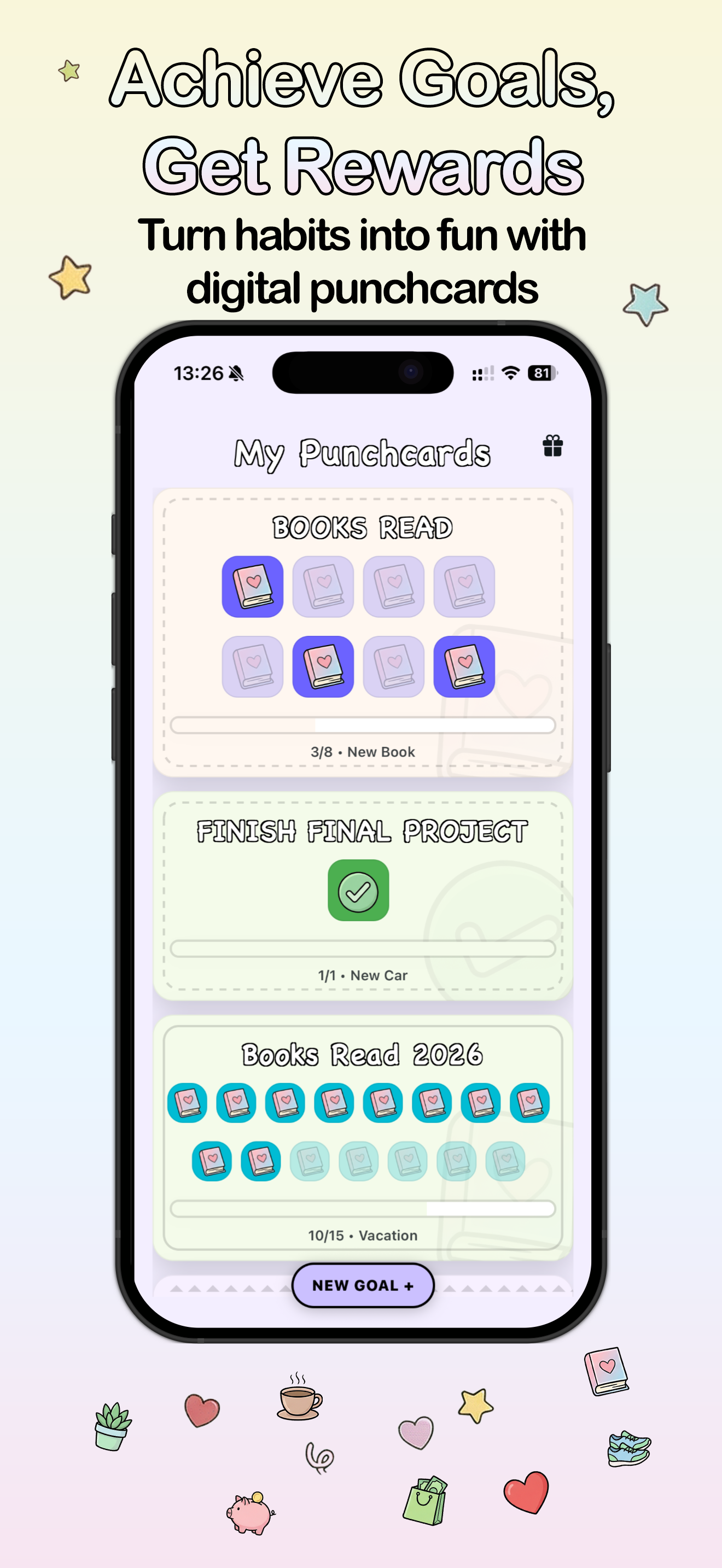
Punch cards fill as you complete goals. See momentum at a glance — no charts, no numbers, just slots filling up.
Build momentum with daily streaks. Each punch keeps your habit alive and your card moving toward its reward.

Attach a personal reward to every card — a coffee, a new book, a rest day. Fill the card, earn the reward.

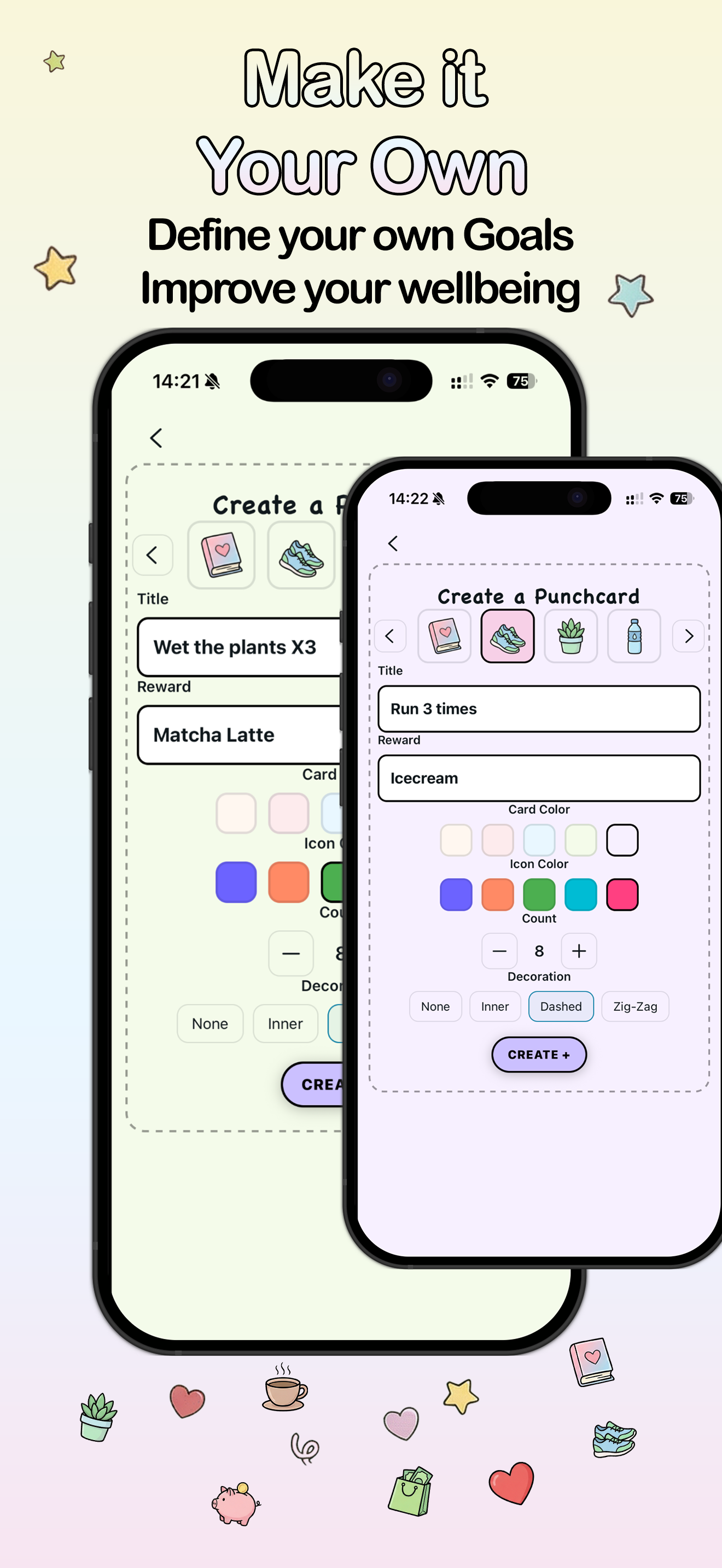
Choose your icon, card color, icon color, and border style. Every card feels uniquely yours.

Track workouts, water intake, steps, sleep — whatever you're working on, as a card that rewards your effort.

Reading, journaling, skincare, hydration — every small ritual becomes a satisfying card to fill.

Set a reminder for each card so you never miss your moment. The right nudge at the right time keeps habits alive.

Share a synced punch card with up to 4 people — great for couples, friends, or families working toward a shared goal.
Home screen widget
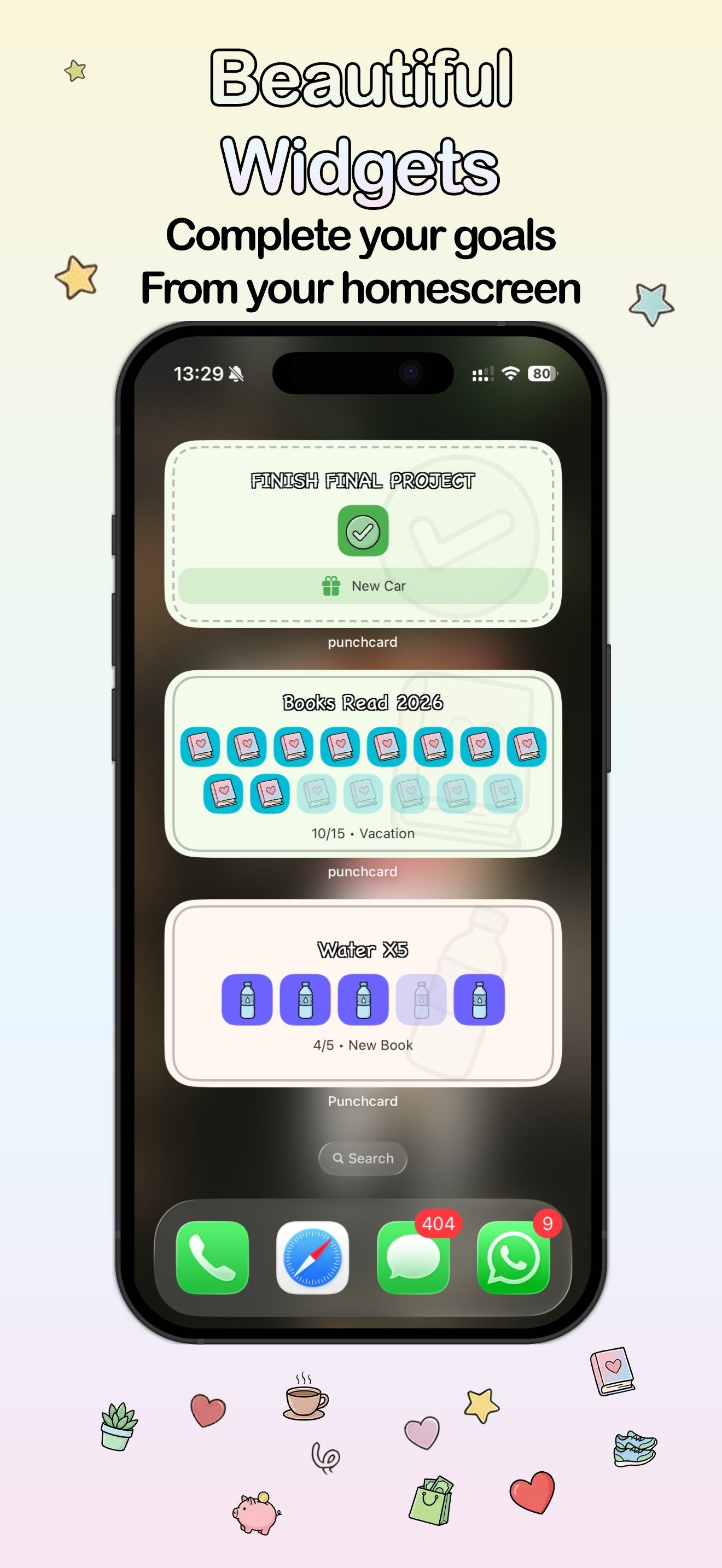
The Punchcard widget lives on your iPhone home screen. See your progress at a glance and punch your card without opening the app. Out of sight really does mean out of mind — the widget keeps your habit alive.
Simple by design
Three steps. No spreadsheets. No complicated setup. Just a goal, a card, and a reward.
Pick a goal, choose an icon, set a reward, and decide how many punches it takes to earn it. Takes about 30 seconds.
Every time you complete your habit, punch the card. Watch the slots fill up. Add the widget so you never forget.
Fill the card and claim your reward. Start a new one. The loop keeps habits moving without ever feeling like obligation.
Free printable templates
Print-ready worksheets for goals, punch cards, and weekly routines. Use them on paper first, then bring the habits that stick into the app.
Goal worksheet
A planning worksheet for one goal, with space for milestones, weekly check-ins, obstacles, notes, and a reward.
Print worksheet ->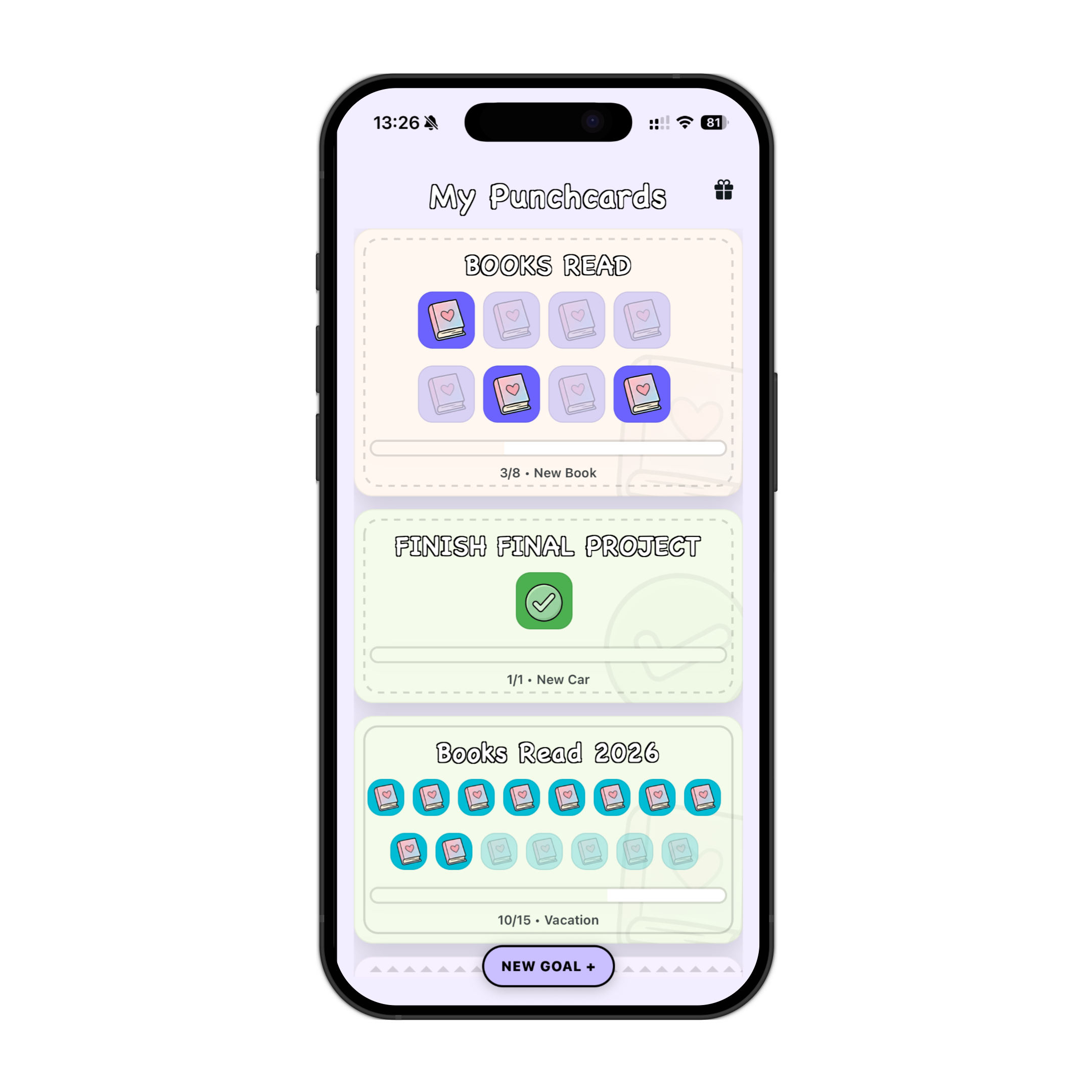
Printable punch card
A blank reward punch card with 20 slots for habits, chores, reading challenges, workouts, or classroom goals.
Print punch card ->
Weekly printable
A landscape routine sheet with Monday-Sunday planning space, habit checkboxes, a reward, and reflection notes.
Print planner ->From the blog
Habit trackers work best when they feel like a tiny ritual, not admin work. Here's the case for playful, visual, widget-first tracking.
Goal tracker
No one keeps up with Excel. A visual goal tracker with punch cards and a home screen widget makes progress feel satisfying — not like data entry.
Read article →
Habit tracker
The best habit tracker is the one you'll actually use every day. A playful design, a quick punch, and a widget that keeps your habits visible make all the difference.
Read article →See it in action
A habit tracker that actually looks good — because you're more likely to use something you enjoy looking at.
Got questions?
Punchcard is a cute, visual goal and habit tracker for iPhone. You create punch cards for your goals — like "run 3 times," "read 10 books," or "drink water daily" — and punch them each time you complete the action. When the card is full, you earn a reward you set yourself. It feels like a game, not a spreadsheet.
Yes, Punchcard is free to download on the App Store. You can create punch cards, track habits, and use the widget for free. Optional upgrades may be available for premium features in the future.
Yes — and the widget is one of the best parts. Add a Punchcard widget to your iPhone home screen, see your punch card progress at a glance, and tap to punch without opening the app. Keeping your goal visible is one of the most effective ways to stay consistent.
Most habit trackers feel like admin. They ask you to fill tables, enter numbers, or review charts. Punchcard uses the physical punch card metaphor — tap, the slot fills, and your progress is visual. The design is intentionally cute and playful because that actually makes you more likely to use it every day. Each card has a reward tied to it, which makes reaching the goal feel personal and worth celebrating.
Yes. Group Cards let you share a punch card with up to 4 people. It's great for accountability partners, workout buddies, couples tracking shared habits, or any group working toward a common goal. Everyone's progress shows up on the same card in real time.
Yes. Each punch card can have its own push notification reminder — choose the time that fits your habit, and Punchcard will remind you before the day ends. Morning for workouts, evening for reading, any time for hydration.
Punchcard works best for countable goals — things you want to do a specific number of times. Examples: drink water 5 times a day, run 3 times a week, read 10 books this year, meditate 30 days in a row, save money 20 times, finish a project. If you can count it, you can punch it.
Punchcard is currently available for iPhone (iOS). Android is not available at this time.
Free to download. No account needed. Just your goals and a cute card to fill.
Download Punchcard Free →Available on the App Store for iPhone